

EURANNIT XMINI 12.7mm Portable Mini Inkjet Printer with Fast Dry Ink for Logo Expire Date QR Barcode Batch Number Label Printer


EURANNIT XMINI 12.7mm Portable Mini Inkjet Printer with Fast Dry Ink for Logo Expire Date QR Barcode Batch Number Label Printer
SPECIFICATIONS
Automatic level: Semi-automatic
Battery Included: Yes
Brand: Bella Vita
Brand Name:Bella Vita
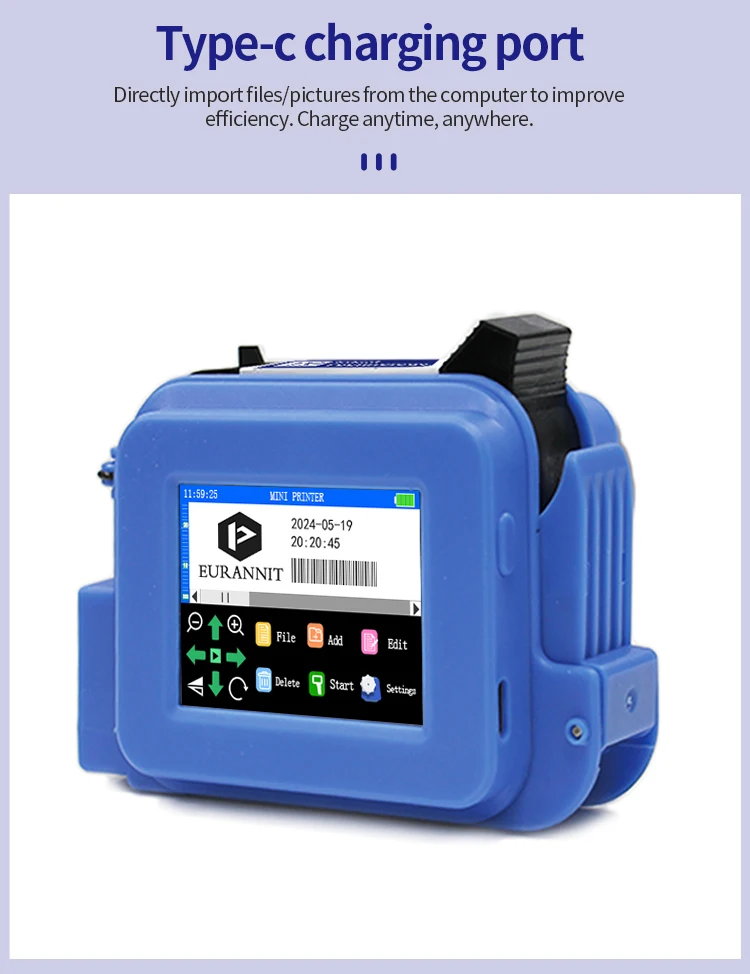
Charging interface: Type-C
Control Method: Push button,Touch
Double-sided Printing: No
High-concerned chemical: none
Ink type: Quick-drying ink
Interface Type: TYPE-C
Max Paper Size: A4
Operational Environment: Temperature 0-45°℃(The best:20-30°℃)Humidity 40%-60%Rh
Paper Feed Mode: Auto
Print Content: English,text,time,date,logo, numbers,symbols,dynamic bar code,
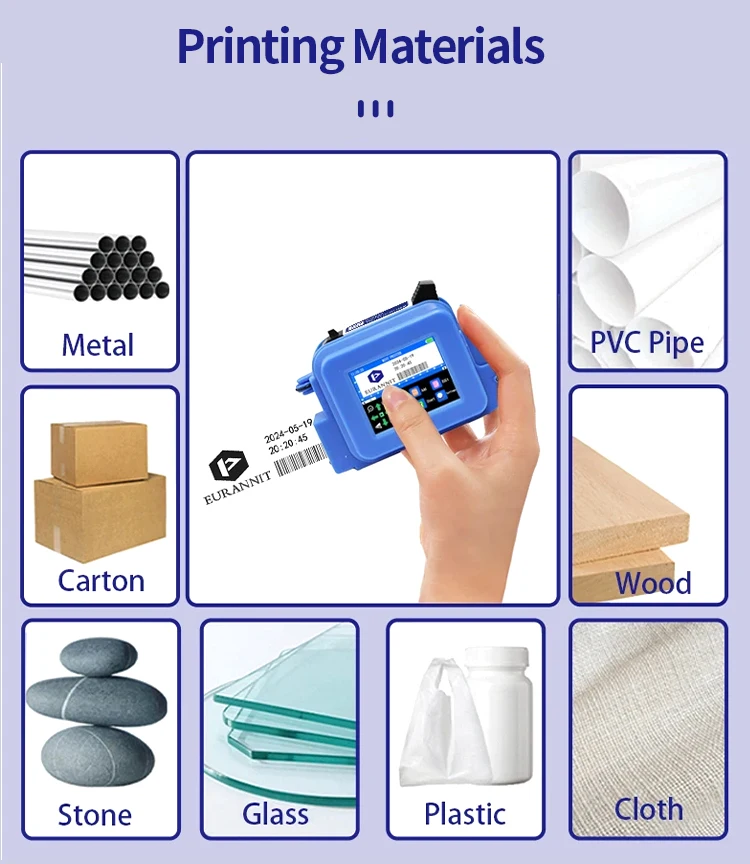
Print Media: Boards carton,stone,pipe,cable,metal,plastic,electronics,automotive pa
Print Speed: 40ppm
Print size: 2-12.7mm
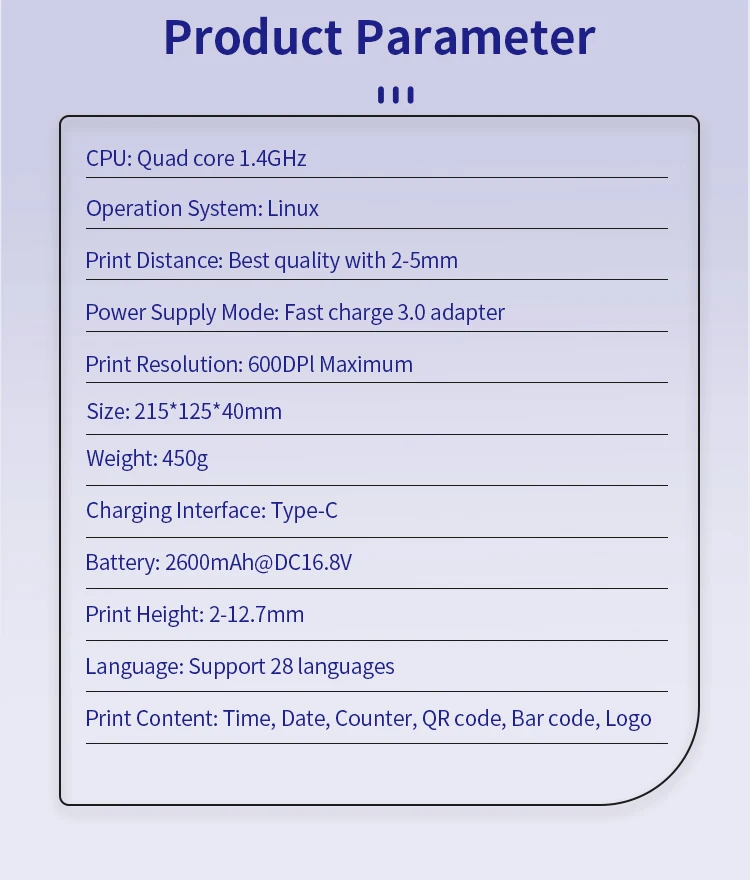
Print solution: 600dpi Maximum
Printing Direction: 360 degrees of arbitrary adjustment to meet various production needs
Signal Connection Type: none
Supports Network Printing: No
Type: Inkjet Printer,MINI Handheld Inkjet printer
Use: Inkjet Printer
Voltage: 100-240V
Product Description:
Product Name: Mini Inkjet printer
Rated Rating: 25w
Cartridge Type: 12.7mm
Power Supply Mode: Fast Charge 3.0 Adapter
Print Resolution: 600dpi Maximum
Printing Distance: 2-5mm
Power Input: DC-9V/2A
Charging Interface: Type-C
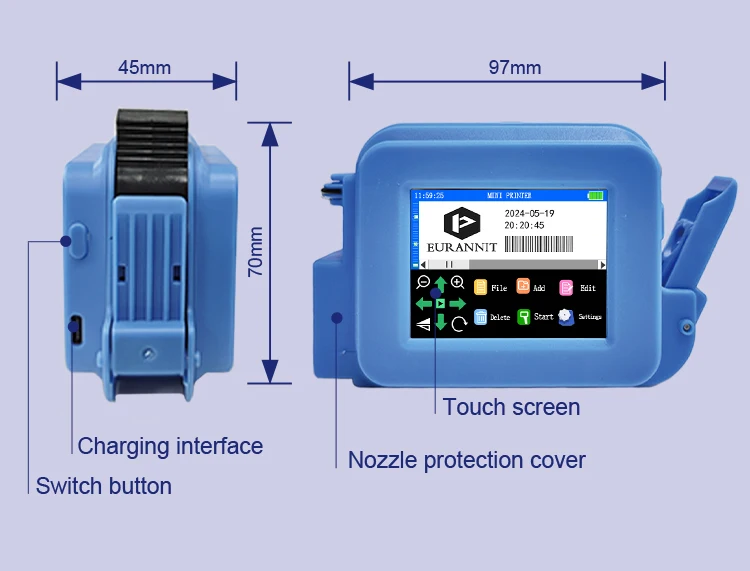
Product Weight: 245g
Product Size: 97*70*45mm
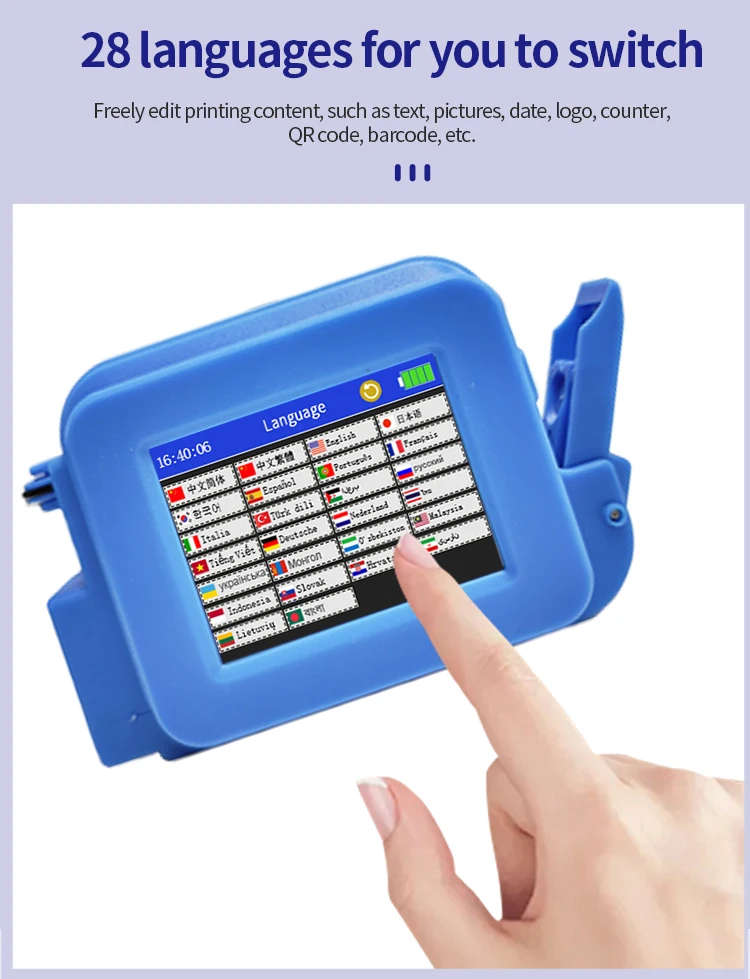
System Language: 28 Languages
Printing Height: 2-12.7mm
Print Content: Time, Date, Counter, QR code, Barcode, Logo, etc.
Printing Material: Wood, Carton, Pipe, Cable, Metal, Plastic, Uneven surface, etc.
Product Advantage:
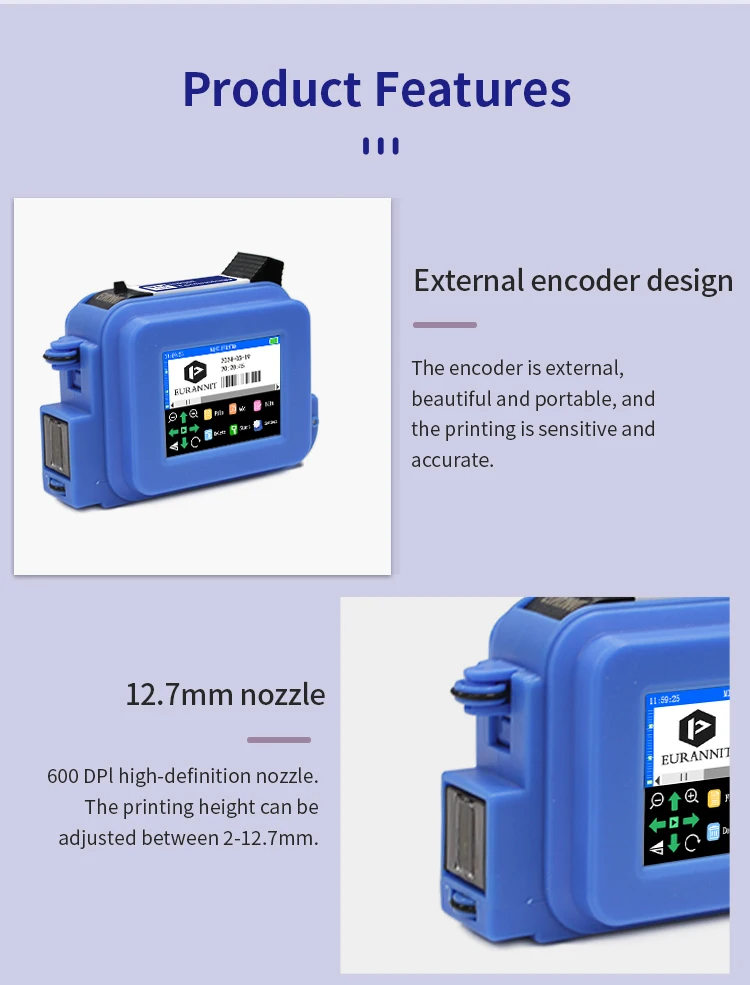
1. External encoder design. Sensitive, flexible scrolling and precise printing.
2. 600 DPl high-definition nozzle. The machine has a print height of 12.7MM, which is optional. The machine is compact, beautiful and portable, and easy to print.
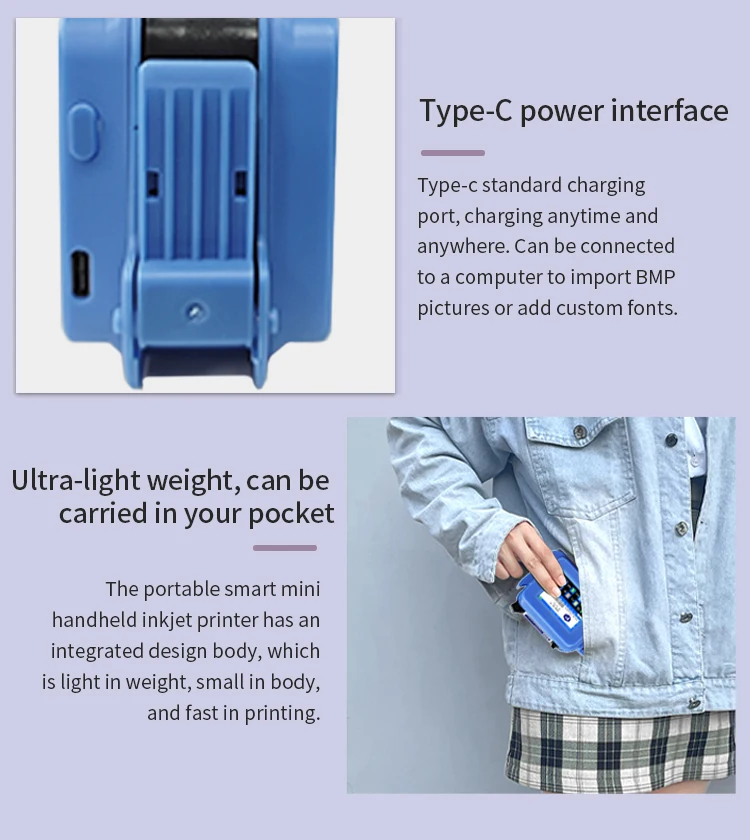
3. Type-c standard charging port, charging anytime, anywhere. Support computer file import, Type-C connects to the computer, and directly imports pictures/TXT/EXCEL tables and other files.
4. A variety of color ink cartridges are available, the ink cartridge has large capacity, strong ink adhesion, and supports high-definition printing.
5. The machine is comprehensive, practical and efficient, and supports variable printing; it can complete multiple lines of barcode text at one time.

Q&A(Questions You Concern Most)
1.How to better extend the life of the printer?
A:Before installing and removing ink cartridges, be sure to turn off the printer.
2.How to better protect the ink cartridge nozzle?
A:
①When not using ink cartridges, please close the protective cover in time.
②Dip a soft paper towel with a small amount of alcohol before using, and then gently wipe the nozzle in one direction.
3.Why does the printer screen not work?
A: When you find that the screen of the printer is not working, please calibrate the screen of the printer.
4.Can the printer print on the bottle?
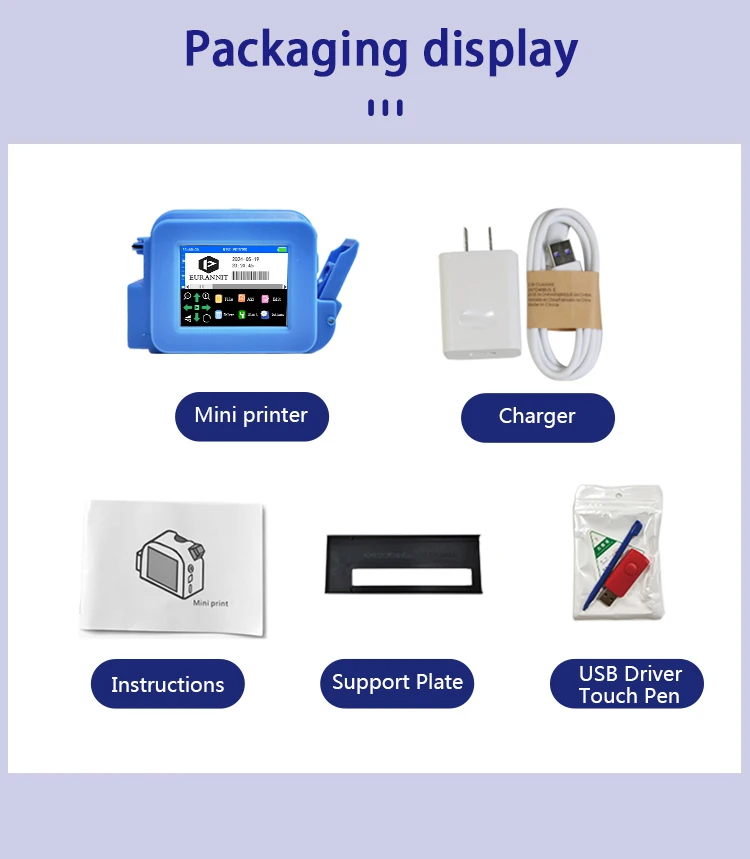
A: Yes, we will provide you with a positioning plate for free. Please consult customer service for specific steps.
5.What should I do if the printer cannot print?
A:
①Check whether the rubber ring on the left side of the printer is off (not in the groove).
②Check if there the ink cartridge is installed properly.
③Switch the nozzle of the printer in the settings.
④After turning off the printer, reinstall the ink cartridge.
⑤If you have completed all the above operations and the machine still cannot operate normally, please contact customer service in time.
6.The printer can work, but the printing effect is not clear, what should I do?
A:
①Check whether the ink cartridge nozzle is clean and dry, and wipe the nozzle carefully with a clean soft tissue.
②Take out the ink cartridge when the printer is off, shake the cartridge several times, and stick a clean tissue on the
surface of the nozzle to divert the ink.(Ask customer service for operation videos)
③Switch the nozzle of the printer in the settings.
④If you have completed all the above operations and the machine still cannot operate normally, please contact customer service in time.
7.What should I do when there is a printer phenomenon of wire drawing?
A:
①The ink cartridge is quick-drying. When there is a phenomenon of wire drawing, please wipe the nozzle carefully with a clean soft tissue and switch the nozzle of the printer.
②When not using the ink cartridge, please install the cover in time
8.Can the printer be charged?
A: Yes.
①Please use our special charger to charge the printer.
②When the printer is stored for a long time and not in use, it is recommended to safely charge and discharge it every three months.